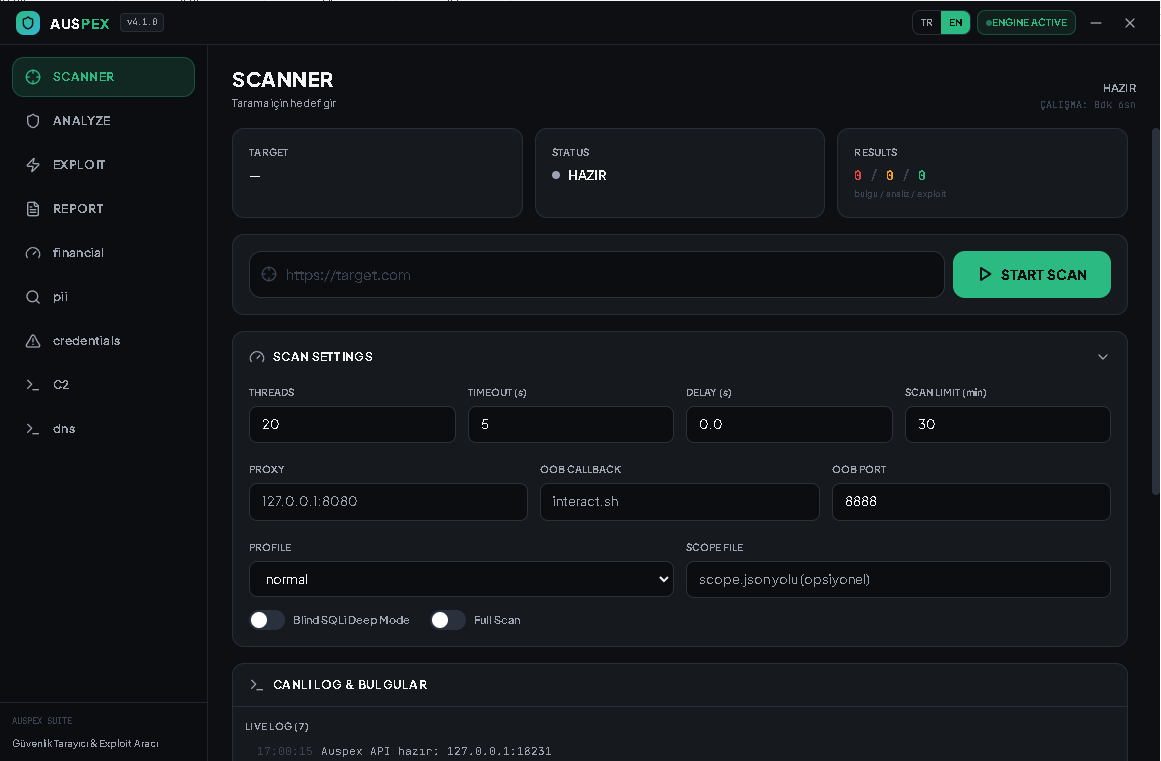
Auspex is a Windows desktop tool for authorized web security assessments. After the target and settings are configured, it can load locally available proxy lists, crawl the site, run 62 modules, analyze findings, attempt relevant validation checks, and collect evidence automatically when a check succeeds.
Auspex brings proxy-list ingestion, crawling, modular checks, finding-based analysis, relevant exploit-validation attempts, and reporting into one workflow. Successful checks can trigger automatic evidence and loot collection. False-positive reduction has been a focus of testing, but results still require review and can vary by target.
A broad set of web and API security checks runs as part of one configured assessment. Module coverage and results depend on the target and scan settings.
Requests and modules use time limits. A timed-out check may be incomplete or skipped, and should be reviewed in the final results.
The UI exposes a scan-time setting, while completion mode can run beyond that value to allow the module queue to progress. Individual modules have their own timeouts; a timed-out check may be incomplete while later checks continue.
Auspex analyzes findings, selects relevant checks, and attempts validation. When a check succeeds, follow-up evidence or loot collection can run automatically. JWT-related checks can lead to API discovery and data-retrieval attempts; complete database extraction is not guaranteed.
After the target and settings are entered, the workflow proceeds without routine operator input. Use only against systems you own or are explicitly authorized to assess.
Baseline comparisons and response checks help reduce false positives. They do not eliminate them, so findings should be reviewed before being treated as confirmed.
The application has 62 registered security modules. The lists below show the full module set; a check may return no finding, time out, or need manual review depending on the target, access, and configuration.
Crawling and endpoint discovery, forms and parameters, subdomains, ports, HTTP and TLS configuration, CMS/framework identification, and callback checks.
SQL and related query-input checks, including discovered parameters and direct database connectivity checks.
Input-handling checks across browser, template, file, command, and parser contexts.
Server-side request forgery, open-redirect, and OAuth security checks.
IDOR and broken-access-control checks, authentication review, CSRF-token checks, and JWT analysis.
CORS and host-header configuration, mass assignment, prototype pollution, GraphQL and API checks, cache behavior, request smuggling, race conditions, business logic, WebSockets, uploads, and supply-chain integrity checks.
Static-site and framework data exposure checks, cloud-storage configuration, and cloud-native configuration checks.
Can load locally available proxy lists and check proxy connectivity before the assessment. Availability and exit-IP verification depend on the supplied proxies and network conditions.
Begins with the configured website, discovers links, forms, parameters, and API-related paths, and feeds discovered inputs into relevant checks. Optional authentication can enable an additional crawl pass.
Inspects reachable page state, browser storage, JavaScript/source-map assets, framework data, and discoverable files. It may identify exposed data or additional backend URLs; it cannot guarantee access to private data.
A separate dynamic backend phase follows the static discovery phase and the main module checks. It examines reachable application/API behavior and may use eligible discovered evidence for follow-up. It is an additional phase, not only a fallback triggered when static discovery finds nothing.
Findings are analyzed and prioritized. Eligible findings can trigger relevant validation attempts; checks may fail or time out, and results should be reviewed before being treated as confirmed.
When authorized validation paths yield accessible evidence, follow-up collection and an evidence archive may run. Scan results and reports are produced for review; complete database extraction is not guaranteed.
The workflow is designed for systems you own or are explicitly authorized to assess. Time limits, access controls, rate limits, and target behavior can leave individual checks incomplete.
A Windows desktop application with a Python core and an Electron/React interface. The next owner can review, modify, and extend the codebase.
For authorized security testing only. Actual scan duration can exceed the configured scan-time value in completion mode. Some checks may time out or remain incomplete, and database data retrieval is not guaranteed. Request a private demo or ask about acquisition. Product source code can be reviewed privately during buyer due diligence, subject to agreed terms.
Request a Demo